 Move Tool
Move Tool
Move Tool| Library: | Mouse Tools |
| Introduced: | 2.0 Beta 1 |
The Move Tool allows the user to select and rearrange existing components and
wires. It behaves identically to the  Multi-Tool, except that it can't add new
wire segments or directly modify existing wires. It is mainly only for selecting
and moving things.
Multi-Tool, except that it can't add new
wire segments or directly modify existing wires. It is mainly only for selecting
and moving things.
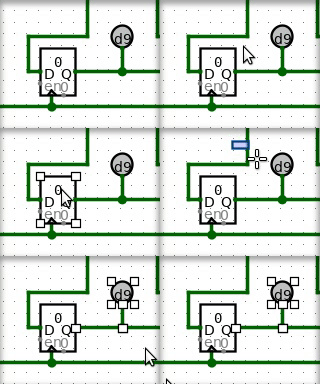 A simple click on wire or a component, without dragging, will simply
select the the component or wire segment. Holding shift
while clicking a wire or component will add it to the current selection if it
was not there already, or will remove it if it was. After selecting the desired
items in the selection, you can of course cut/copy/paste/delete/duplicate all
the items via the Edit menu.
A simple click on wire or a component, without dragging, will simply
select the the component or wire segment. Holding shift
while clicking a wire or component will add it to the current selection if it
was not there already, or will remove it if it was. After selecting the desired
items in the selection, you can of course cut/copy/paste/delete/duplicate all
the items via the Edit menu.
Click then drag the mouse on the background (i.e. starting at a location not contained within any components) to begin a rectangular selection. All components that are fully contained by the rectangle will be selected. Holding shift while making a rectanglar selection will add the new elements if they were not there already, or will remove them if they were.
Clicking and dragging a currently-selected component or wire segment will begin moving all elements of the selection.
By default, Logisim will compute a way to add new wires, or remove or shorten
existing wires, so that no existing connections are lost during the move.
If you're performing a move where you do not want these changes to be made, you
can press the shift key during the move. If you want to
disable this behavior entirely, go to Project > Options, select the Canvas
tab, and uncheck the Keep Connections When Moving
box; in this case, the
connections are computed only when the shift key
is down.
Note: Dragging a selection containing wires can somteimes lead to surprises. If you drag a selection including some wires on top of some other wires, all wires are merged, and the newly-merged wires are added the selection. As a result, if you then drag the selection a second time, the wires previously at the location will not be left behind. This behavior is in keeping with the rule in Logisim that wires never overlap. And it does not normally constitute a major problem: Logisim will draw the full selection in the midst of dropping, and you should not drop it until you are sure it is in the correct location.
Some keys have an effect when items have been selected.
Remove components and wires using Delete or Backspace keys. These will delete everything selected from the circuit.
Duplicate components and wires using the Insert key. This will create a duplicate of all currently-selected wires and components.
When duplicating a selection or pasting, Logisim does not immediately place the new components into the circuit; instead, the selection will be a collection of "ghosts," which will be dropped into the circuit as soon as they are either deselected or dragged to another location.
None. Selecting a component, though, will display its attributes. With multiple components selected, attributes shared by all are shown, blank if they have different values and otherwise with the value they all have in common. (Wires are ignored if there are any non-wires in the selection.) Changes to the attribute value affect all selected components.