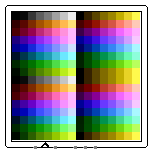
RGB Video
Behavior
Stores a 2-D grid of RGB values and displays them as a small grid of colored
pixels, similar to a very simplified framebuffer and color video display.
Pins
- Reset - South edge, first from left (input, one bit).
- When Reset is 1, the contents of the internal memory is reset and
all pixels reset back to the default color.
- Clock - South edge, second from left (input, one bit).
- When the clock rises from 0 to 1, new data from the other inputs is used to
update the stored values in the internal memory.
- Write Enable - South edge, third from left (input, one bit).
- When write enable is 0, no new data is written into the internal memory.
When write enable is 1, new data is written upon the rising edge of the
clock.
- X, Y - South edge, fourth and fifth from left (inputs, bit width determined by 'Width' and 'Height' properties, respectively).
- Specifies the X, Y coordinates at which to write new data in the internal
memory.
- Data - South edge, last from left (input, bit width determined by 'Color Model' property).
- Specifies the data to be written to the internal memory.
Properties
- Cursor
- If Cursor is 'Blinking Dot', then the RGB video will display a dot at the
current X, Y coordinates, blinking whenever the clock ticks. Otherwise no cursor
is displayed.
- Reset Behavior
- Whether a high reset signal should take effect asynchronously or
synchronously with the clock.
- Color Model
- Selects how the values in the internal memory are mapped to video display
colors. A number of models are available for various RGB formats (such as 24-bit
8-8-8 RGB, and 15-bit 5-6-5 RGB) and defined by various color palettes (such as
the 7-bit ATARI 2600 color palette).
- Width
- Selects how many columns are displayed.
- Height
- Selects how many rows are displayed.
- Scale
- Selects how large each pixel should be. Larger pixels are useful when the
width and height are small.
Poke Tool Behavior
None.
FPGA Synthesis
None.
Up to Library Reference